I use the Google Search Console on this blog, because it’s self hosted and I want to make sure it gets indexed correctly. Last night I got an alert (or rather I saw the mail – I don’t log into gmail all that often) that said that one of my pages wasn’t being indexed any more because it came up as 404 status (with is httpd code for “not found”).
Now the url tells you pretty much everything you need to know, that it was published on the 28th of April 2025 and it was titled “The Rest of the Time At Cowan’s Gap”. I distinctly remember writing that post. But it’s not there on my blog. I have two posts from that time about our trip to Cowan’s Gap and the first couple of days there, so it stands to reason that there needed to be a post about the rest of it. But it’s not there. I thought maybe it got deleted in the last update of WordPress which happened a few days ago, so I had a look in the Wayback Machine and it’s not there, not last week and not in 2025. It’s not unpublished or in the drafts folder either on my site or on the WordPress app which I often use to compose blog posts off-line and upload them when I’m on-line.
I can’t even find what’s linking to it. Google Search Console says it’s being linked to from my own blog, but it doesn’t specify which page of the blog, and the blog’s own search isn’t helping.
So there’s actually a couple of mysteries:
Did I write it or did I just imagine it?
If I wrote it, where is it?
And why did Google only decide this week that it’s missing?
I run a bunch of mailing lists. Most of them are very active, not too many members, and very chatty. They are also very low-maintenance. One of my mailing lists is an announcement list for our neighborhood association, and has 500+ members, many of them elderly. It gets about 3-4 posts a month, and it’s very high maintenance (see my previous remark about elderly members). A large number of those members (over 50 of them) have rochester.rr.com email addresses. RoadRunner was the first broadband in our neighborhood, offered by Time Warner. Sometime after I went around the streets knocking on doors trying to convince people to sign up for an independent fiber internet company (Greenlight), Time Warner became Spectrum.
I guess some of their infrastructure was owned by Charter? I don’t know, it’s just that the MX for rochester.rr.com points to a charter.net server. Probably due to an accquistion or something. Not relevant.
For my sins, I upgraded my server a few months ago to Debian 13, while simultaneously upgrading my mailing lists from Mailman 2 to Mailman 3. And a few days ago I discovered that since the change, a large proportion of rochester.rr.com users were getting booted off the list because their mail was bouncing. I found this out because a sweet little old lady got the message saying her subscription was being removed because of these bounces, and responded to the bounce message saying “but I don’t want to be removed”.
Since that time, I’ve been trying to diagnose and fix the problem. What I saw in the logs was that RoadRunner gives you a code when it defers or bounces, which you can look up
And most of the deferrals and bounces were getting a 1300 or 1370 code, both of which mean too many concurrent connections, or too many recipients in one connection.
The first thing I found was that Mailman was VERPing every message, which obviously makes it easier for Mailman to determine who bounced, but also means that Postfix is making 500+ simultaneous outgoing connections. I decided it would be better if Mailman just passed the whole shebang off to Postfix and let Postfix pick that apart. That took a bit of doing, including adding a configuration parameter to my mailman.cfg file that `mailman conf` told me was already the default. *Sigh*
Ok, once I had all 500 members coming as one block to Postfix, I set up a separate transport “slow_smtp” just for rochester.rr.com. For that one, I set up
which I thought would mean it would make one connection at a time, and send 5 messages each time. Turns out the concurrency_limit wasn’t doing what I thought it would do – ie make sure that there’s only one connection at a time. I don’t actually know what it does because it looked like there were several connections at once. I showed my configuration on the Postfix Users mailing list, and Wietse Venema rather defensively said “The _destination_concurrency_limit and _smtp_destination_recipient_limit features are implemented by decades-old code that has not changed $forever.” And we all know that old code never has bugs in it. Besides, I was assuming I was configuring it wrong, not that the code was wrong.
Anyway, after some back and forths with Venema and another guy who thought I didn’t know how to read a log file (turns out he was partially right), I added
slow_smtp_destination_rate_delay = 5
which did seem to meant that it would delay starting a new connection for 5 seconds after the last one, and if I’m understanding this correctly, means that as long as the previous connection is processed in 5 seconds, the next one won’t be simultaneous. In practice, what I seem to be seeing is that the first batch of 5 gets sent, the second batch of 5 gets sent, and the rest get “status=deferred”. Some time later (about 8 minutes?) it send the third set of 5 and the forth set of 5, and deferred the rest. After 4 sets of retries, the last 19 users got “status=bounced” instead of “status=deferred”. I have no idea why they suddenly decided to start bouncing. I suspect it’s just Time Warner because arseholes.
I’m still searching for the magic configuration which will allow the non-RoadRunner users to keep going as normal, and RoadRunner users to trickle through in whatever configuration it takes.
We bought Starlink specifically for this trip. In case you’ve been living in a cave for the past couple of years, Starlink is a small antenna that gives you internet connections based on a fleet of satellites launched by the Space Nazi himself. Evidently Starlink is the only part of SpaceX which is currently profitable.
We’ve set it up and tried to use it at just about every campsite, and so far the score isn’t great. Shady sights with lots of tree cover, like I tend to prefer for aesthetic reasons, do not get you sufficient space for the Starlink signal to get through. As a matter of fact, the only place we’ve had decent service this whole trip is the place I hated the most, Carol’s near Sudbury. And mostly for the same reasons – no trees.
Providence Bay should have been a decent connection but it kept telling me I was too obstructed. There was a solid line of trees behind me in that picture in my last post. The instructions that came with the Starlink devices say that the antenna has a 110 degree field of view, so in line with that and the line of trees, I attempted to get the best field of view by tilting the antenna down so that it was 60 or so degrees off the horizontal. I asked for help from facebook group for RV Starlink users, but just about every single one of them ignored the whole business about the 110 degree field of view and the tall trees, and said I needed to have the antenna perfectly flat. Only one of the dozens of respondents told me something useful, which is that you need to clear the obstruction map every time you move it. Unfortunately I didn’t get that info until after we’d left Providence Bay.
I already wrote about our arrival at Carol’s. The next morning, we went to Science North. It made me nostalgic for The Ontario Science Center. The architecture was really excellent, especially the way they incorporated the natural rock into the design and the learning. It was mostly set up for kids, of course, but Vicki and I were entertained and impressed. We also bought tickets for the IMAX show. It was, as to be expected, gorgeous and very informative. On the way home, we stopped for a few things – so much easier to do that when you don’t have the trailer.
Carol’s was the only place where we managed to watch streaming YouTubes without buffering or stuttering.
The next day, we “reluctantly” said goodbye to Carol’s and headed off to Arrowhead Provincial Park. Another beautiful drive. If it hadn’t been for that tourism brochure I linked to in my last post, we probably wouldn’t have bothered and just booked an extra day in Algonquin Park. But honestly, it was probably a life saver because the last couple of miles I was having trouble keeping my eyes open.
Arrowhead is a gorgeous park, with tall red pines and a lovely lake. The campsites were far apart for lots of privacy. Just like I remembered it when Mum and me camped there 40-odd years ago. I don’t recall why we camped there, but I can think of two possible reasons – either there was an orienteering event near by, or it was coming home from our canoe trip in the north end of Algonquin.
But the tall trees meant our Starlink was useful enough to download a web page to read it (as long as you didn’t mind hitting refresh and waiting a bit, then repeating 3 or 4 times), but you wouldn’t want to watch even a Facebook short video on it.
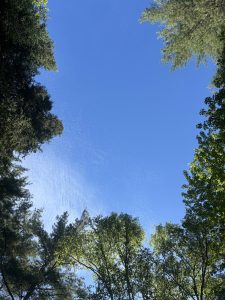
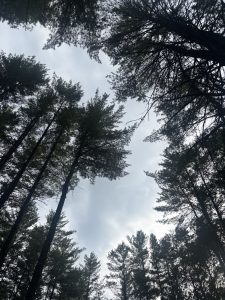
Our Arrowhead Sky
We unfortunately only had one night in Arrowhead, but I was eager to get to Algonquin. Well, I say “eager”, but we didn’t leave Arrowhead until nearly 2pm. So we had some walking around time there, even if we didn’t have bike riding or paddling time.
We hit Algonquin and even the road in was bringing back so many memories. I don’t think I’ve been here in 40 years, and some things have changed a bit. There’s obviously been some tourism money in those years because the lodges and restaurants in the park have gone very upscale (except Lake of Two Rivers Store, which looks like a tourist dive from Lake Placid). There are several new interpretive trails, but all the old faves are there. The park museum has moved from where it used to be, which is now the Algonquin Art Centre, up to not very far from where we are camping. They’ve also added some cycling infrastructure, including a long trail along the abandoned railway line, and another trail that looks like it has real mountain biking potential.
Arrival day got cloudy soon after we arrived, and got rainy later. Today was our first real day here, and it was pretty rainy. We took the time to do some laundry (which involved a trip into town to hit an ATM and get some change, because Canada is so into tap-to-pay that we’ve been here 10 days and this is the first time I’ve wanted cash. I was actually a little surprised that the park laundromats didn’t have tap-to-pay. Can you imagine some beat up old washing machine that looks like it survived two wars, with a shiny new tap-to-pay device on the top?) After the laundry, we went to the Algonquin Visitor’s Center/Museum. Amusingly enough, we arrived just as about 10 or so uniformed park employees were leaving, which made us worry we got there just as it was closing, but nobody said anything and it turned out it didn’t close for an hour.
Other than disclosing that I’m not as good at recognizing birds (or at least shop-worn taxidermied birds) as I used to be, the exhibits were very well laid out and explained. And an hour is just about the right amount of time.
Tomorrow I’m hoping the weather is better and we can get up and out for an early morning paddle or bike ride. Our time is limited, especially since we tend to consider a travel day a nothing-but-travel day.
Speaking of which, a friend from college noticed I’d posted something from Arrowhead, and said he’s at his cottage, not too far away and do we want to come by for a day or two. Well, don’t want to cut short our Algonquin time, but maybe trim the 2 night Parry Sound stay down to one and try to flog ourselves into doing something touristy on a travel day.
But all this is hard to arrange because once again, we’re in a beautiful sun dappled campsite which means Starlink can’t find shit.
I believe there might be a Starlink satellite coming by soonSome campsite, eh?
I finally caved and bought a Canadian data e-Sim to at least be able to do some amended route planning and stuff like that, that is if Vicki doesn’t use it all watching cow hoof trimming videos.
Further updates coming eventually. Hopefully I’ll catch a satellite soon to upload this.
We’re currently on Manitoulin Island., on day 5 of our Ontario loop.
As I mentioned in passing in my last blog post, we spent the first night in Camparks in the Niagara Falls region, just to have a short first day in case we were late leaving, or held up at the border, or got half way to Buffalo and realized we forgot the trailer or something. The campground is nothing special, but the nearby KOA looks like a zoo overrun by children. We didn’t need much for our first night, but we got full hookups because that’s what they had. Even we don’t fill our black or grey tanks in one overnight. Actually, until the incident with the hitch jack and blocks as we were leaving, I thought we looked pretty professional in how quickly we set up and how well laid out everything looked. The campsite was pretty well shaded, which meant Starlink wasn’t doing well, though. I’d rather have a shady spot with crappy Starlink than a sun blasted site with good Starlink. We’re not here for the internet.
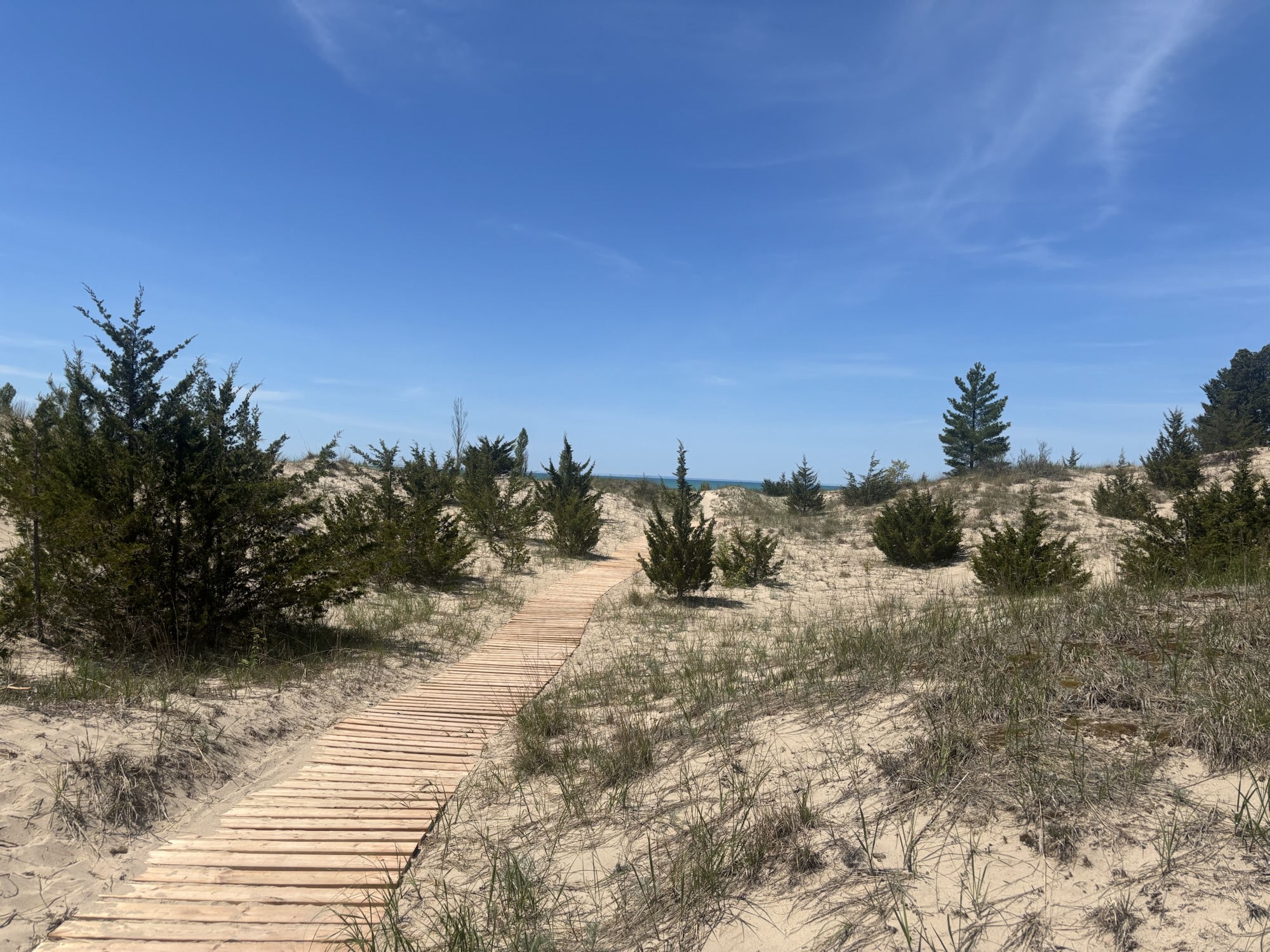
The next day was a relatively long drive to Pinery Provincial Park, That’s on the shores of Lake Huron, which I’ve never spent any time at before. The park was nice. There was a gigantic strip of sand dunes between the campsites and the beach. We camped in the loop they called “The Dunes”, which lived up to its name. It was very sandy, and some of the spots backed on to massive sand dunes that looked like they only had a few trees and some sedge grass keeping them from collapsing onto the campsite. Ours was a bit further away from the dunes, but still quite sandy. We were looking at the sites on the other side of our street as possibly a better option if we ever come back. And I hope we do come back, because it was a beautiful park and it had a lot to do.
How blue was the sky? This blue.
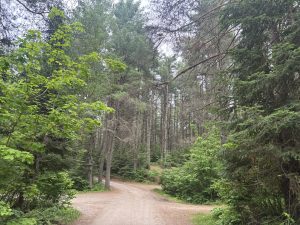
The roads in the camp loop were kind of a maze. Most camp loops in our experience are just that, a loop, but this one had roads going off in all directions. Some of them weren’t roads, they just lead into two campsites sharing a driveway. It was so confusing I ended up giving our map of the campsites to a couple of girls who were very lost.
Once again, I’d chosen shade over Starlink, and so when it came time for my therapy appointment (not a euphemism) the phone call dropped several times and finally my therapist just refused to go on. In retrospect I probably should have disconnected from Starlink and just taken my chances with the cell network because I’m supposed to have unlimited phone and text roaming in Canada.
After the therapist, Vicki and I went for an absolutely beautiful bike ride. It was the longest ride I’ve had in about 3 years, which isn’t saying much because of my butt pain problem.
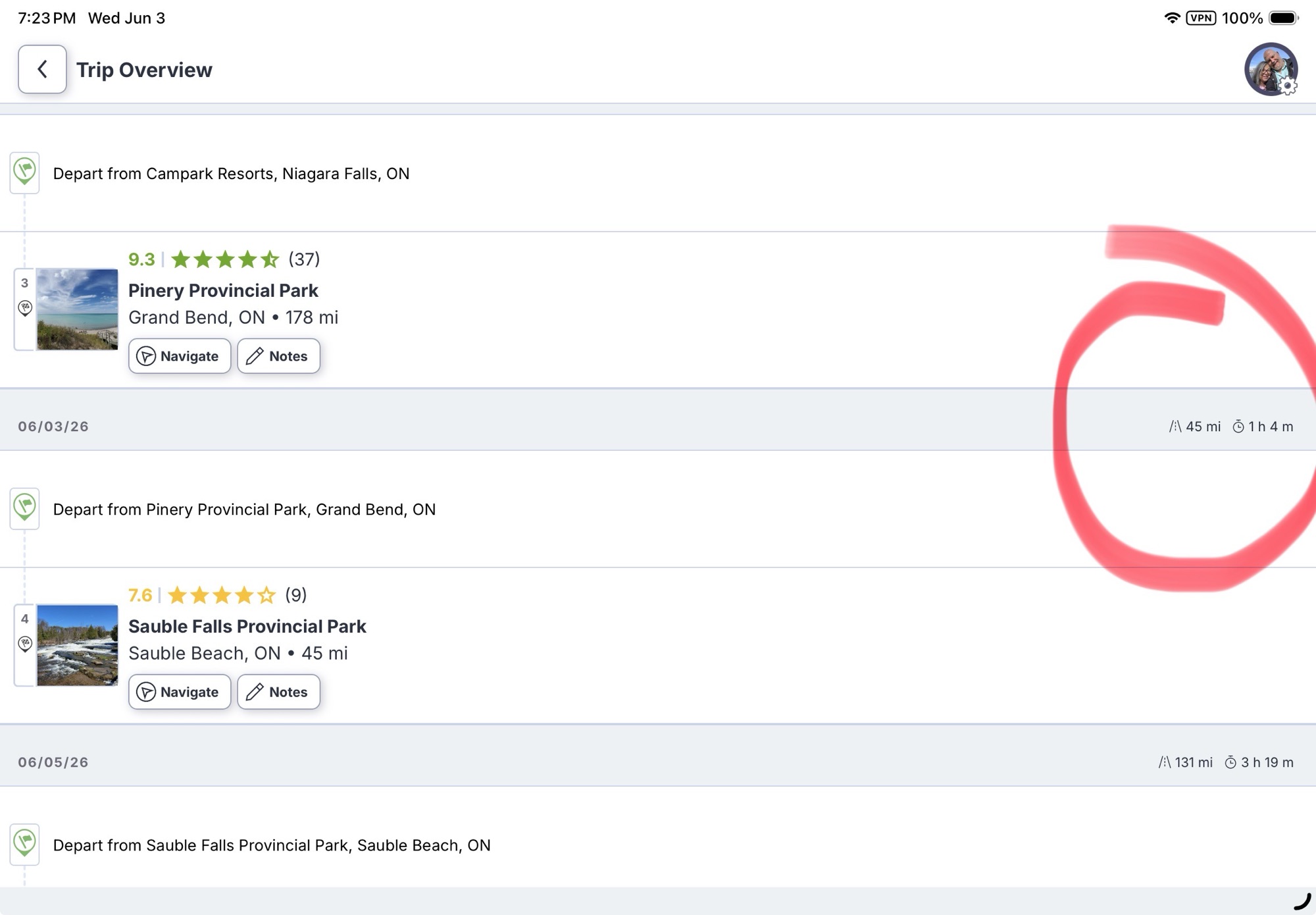
All through this process of taking my therapy appointment and then going for a bike ride, I’d been looking at the RV Life app on my phone, that said the next leg to my next campsite was only 45 miles, so a very light day. I should have thought about that, because one of the things I’d done a few weeks ago was drop some of the shorter leg days in favour of multi-day stays from my original route plan, which basically had us moving every day. But before we hit the road, we decided we needed to stop in Goderich on the way because I’d managed to ruin the gas hose for the Blackstone grill and I thought between the Walmart Supercenter and the Canadian Tire store in Goderich, I had a pretty good chance of finding some sort of substitute.
But when I put in the Walmart into RV Life to navigate, it told me that it was just over an hour away. Ok, I know Goderich was between where I was leaving (Pinery Provincial Park) and where I was going (Sauble Falls), so this was starting to make me feel like something might be wrong, but not enough to really investigate.
However, as we were leaving the Canadian Tire parking lot and I went to resume our trip to Sauble Falls, RV Life told me I had nearly 2 hours to go. Now I’m starting to really feel something is wrong. (Spoiler alert, I looked on my laptop the next day, and RV LIfe on my laptop was saying the trip from Pinery Park to Sauble Falls was 110 miles, not 45 miles. The iPhone and the iPad apps were still saying 45 miles. Sometimes I wonder about the quality of the programmers working for RV Life.
Go ahead, put those two endpoints into any mapping application
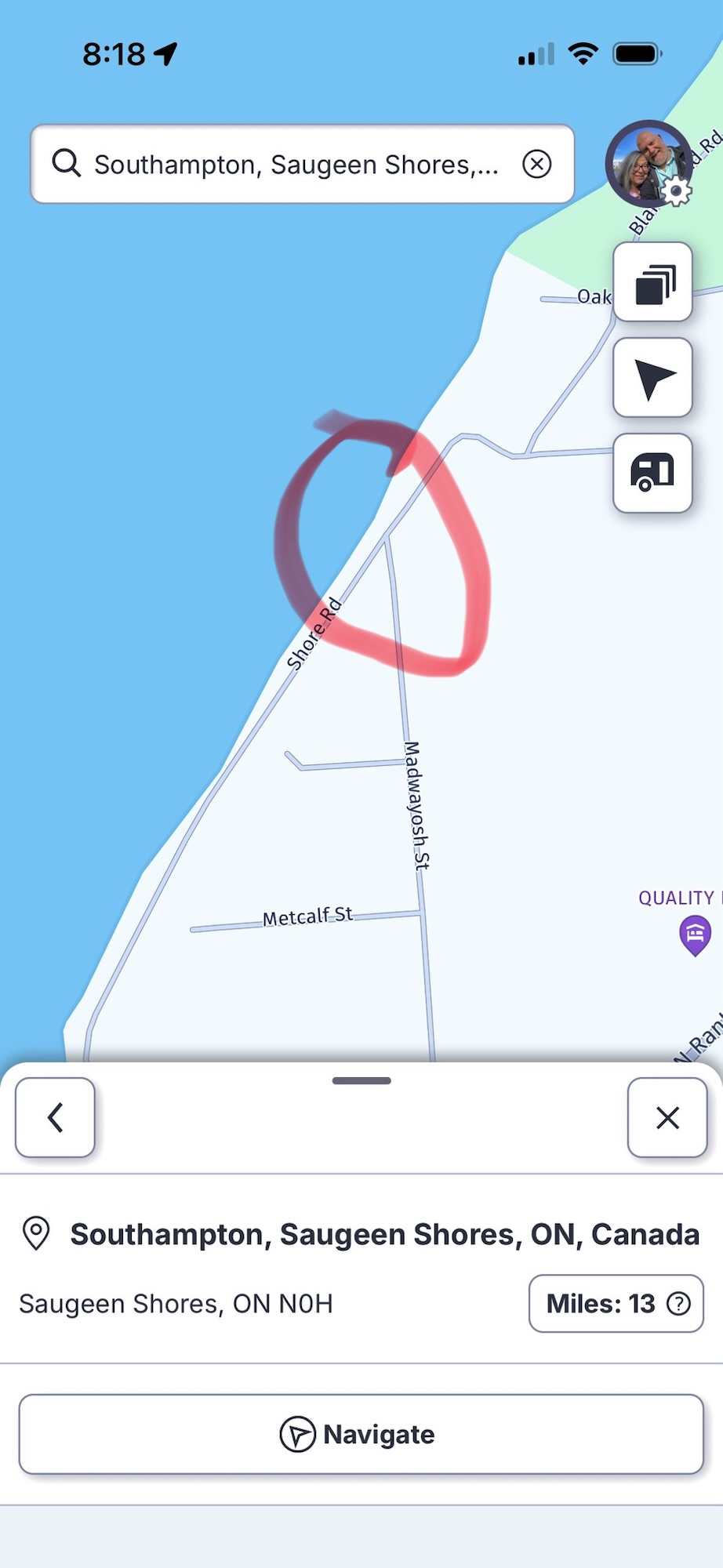
I really started to worry about the quality of the programmers at RV Life when we had a construction zone with a small road closure in Southampton Ontario. RV Life sent us down a street that suddenly ended in a bike path that it told us to continue down.
We were on Madwayosh St and it does NOT connect to Shore Rd. Have a look on Google Maps for the real situation. Good thing it was sort of a square cul-de-sac because I managed to make a 147 point turn and get turned around, and followed a better detour around the road closure thanks to Google Maps.
When we got to Sauble Falls Provincial Park, it was after 5pm and the office was closed. So lacking any signposting indicating which way to the camping area, we went straight ahead which lead us into a day use parking area that was almost, but not quite, wide enough to do one of my patented 147 point u-turns. I barely had to drive up into the picnic area at all, and I defy anybody to prove otherwise.
That’s when we discovered that if we’d taken a 90 degree turn after the office instead of going straight ahead, there was a large map board showing the campsites. Lacking an office to check in, I searched in my email to find out which spot we were supposed to camp in. Ok, so far so good. As we were in the campground loop, I recalled seeing indications of water spigots on the large map, but I couldn’t recall exactly where they were. I asked a friendly looking bunch of campers, and they said you couldn’t use those spigots for filling your fresh tank and you had to go to the other park of the park up the road a bit and fill out there. They even gave us a paper copy of the big map. So we went around the loop and out to the highway again, through the impenetrable and poorly signposted other part of the park, and filled up our fresh tank. Then we’d come back to the same loop, and given the paper map back to its original owners because it had phone numbers and names written on it and we figured they might need those. We then proceeded further down the loop to the spot we had reserved, only to find somebody parked in it. Probably just as well, because like several other campsites in this park, it was angled the wrong way and would have been damn near impossible to get our trailer into.
That’s when Vicki went searching and discovered that I was looking at an older email, and when I’d changed the booking from one night to two nights, they’d put us into a different campsite. Ironically the one right next to the friendly people we’d talked to before. So once more around the loop, and this time into our spot.
It had been a long day, and so basically we set up camp, did dinner, and went to bed.
Which is what I’m going to do now. I’ll tell you about the last couple of days in my next post.
We spent this past weekend saying goodbye to my mother. My brother has a ton of anger towards her, all justified. I won’t go into why. But it saddens me because he has so much anger towards her that he frequently directs it outwards. Fortunately, not towards me most of the time, because he sure used to direct his anger about both our parents towards me a lot when we were younger.
I’ve had many years of therapy dealing with my anger and sadness towards my parents, and my brother, and my dad’s second wife, and my ex-wife, etc. The good news is that I’m closer to my brother than I’ve ever been in my life.
Saying goodbye to my mother was hard. She was present at some of the happiest moments of my life, and some of the biggest accomplishments in my life. But she also left me bitter and abandoned several times in my life as she went on to other things.
When I heard she was dead, I didn’t cry. I barely felt anything. It had been coming for a while. When I went to British Columbia last week, I didn’t cry. I walked around her property and sat on her front porch and looked at her garden and her bird feeders and cried a bit. When we went down to the ocean to spread her ashes, I tried to think of something to say and nothing could sum up my complicated feelings. But when Brad and James let her ashes go into the ocean, I really did cry hard.
I’m still pretty choked up about it. Goodbye mum, I’ll try and remember the orienteering and skiing and backpacking and canoeing and forget the multiple multi-year periods where you couldn’t be bothered to talk to me.