Last week I had the opportunity to use the plane to save hours upon hours of driving, and also to make my time at the destination more productive. I was bringing my daughter up to Ottawa to spend a few days with her friends, and then bringing her down to Whitby to spend some time with her grand parents. Doing it by car would have involved about 13 hours of driving and at least one more overnight stay. But by airplane, it was 3.4 hours, and a lot more fun.
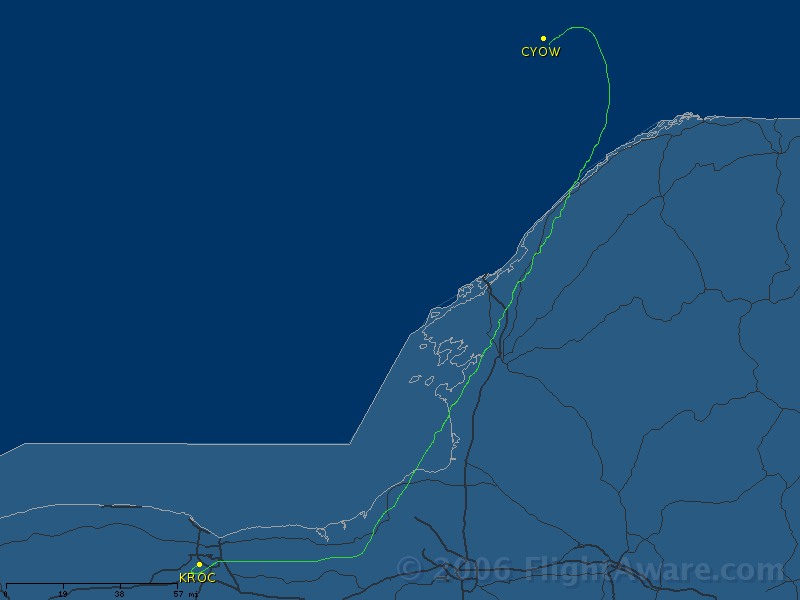
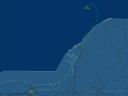 The first leg, Rochester to Ottawa, is the longest. Flight service still won’t allow me to file the route I’m inevitably going to get, so I file KROC v2 KONDO ART CYOW, knowing that as soon as I talk to Wheeler Sack approach I’m going to have to remind them that they need to give me the real route ART CYRIL CYRIL6 CYOW.
We climbed out through a thin layer at about 4000 feet and were up on top in brilliant sunshine at 9000 feet. As we made the turn to ART, the layer below started to break up, but thin cirrus was filling in above so we had a better view but not as much sunshine. Way off in the distance towards Ottawa I could see some thick clouds, but thankfully nothing boiling up high. The Ottawa ATIS was showing several cloud layers, and it looked like I might actually get an approach out of this. As usual, the approach in use was the LOC BC 25 (Localizer Backcourse). Backcourses are easy to fly if you have an HSI like the Lance does, but they are pretty rare on the US side of the border around here, so I’ve never done one for real. The ATIS was saying that you could request runway 32 (which has a normal ILS), but you’d have to give them 10 minutes warning. Not sure what that was about – perhaps there where maintenance vehicles on or near the runway?
Soon after leaving CYRIL, I was given a descent to 4000 feet, and I could see the airport from 30 miles out. So much for getting an approach. I’d still need to tune the NDB so that I could comply with an altitude restriction, but otherwise it was a perfectly normal (and nicely smooth) landing.
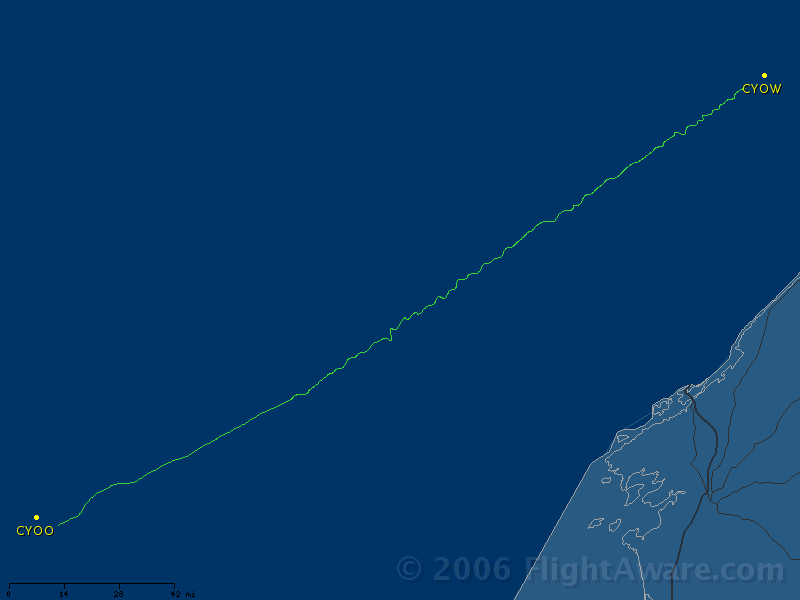
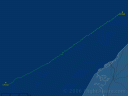 The second leg was a shorter flight. I discovered on the way up that I’d forgotten my Canadian low altitude en-route charts, so I had to scramble and buy one in Ottawa. I filed for v104 the whole way, but instead they’d given me the OTTAWA1 departure, which puts you on a different airway (v3xx?), and then that airway to YCF (Campbellford VOR), and then on v104. I scrambled and fudged a bit to get that route into my GPS (actually, I think I just selected “direct to” the first point on the route and figured I’d do the rest in the air).
While I was on the ground, I took the opportunity to check the VORs against the VOT (VOR Test facility) at Ottawa. I’d been a little leary about VOR # 2 since last year when I’d noticed that my GPS and VOR # 1 would be in agreement about me being on an airway, but VOR # 2 would show me several degrees off. The VOT showed VOR # 1 as being about 2-4 degrees off (which is legal), and VOR # 2 was 10-12 degrees off (which is not legal). I decided on the way home to ignore VOR # 2. I suppose that strictly speaking I probably should have stuck an “INOP” sticker on it, but even a VOR that’s 12 degrees off can be useful for situational awareness.
There were several layers, and at my cruising altitude of 8000 feet I was in and out of the bottoms of a layer that would be at my altitude for a few minutes and then above me for a few minutes. The freezing level was above us and we weren’t accumulating anything, so I was enjoying the opportunity to hand fly in actual conditions. Long before I got to the first waypoint that I’d put in the GPS, ATC asked me if I’d like “direct YCF then as filed”, and I said “yes, please!” So that’s why the track looks so straight even though both my filed route and my cleared route have turns in them. I couldn’t quite pick up YCF at first, so I was flying via the GPS.
Before I even crossed YCF, ATC started giving me descents. At first they were “pilot’s discretion”, so I waited until the GPS said I was at the point where a 500 foot per minute descent would get me to the destination before starting. I think ATC has the same information the GPS does about descents, because usually when the GPS says it’s time to start a 500 fpm descent, ATC is clearing me down. And so I went down into much bumpier air – it was quite breezy on the surface, so there was mechanical turbulence up to about 5000 feet, which got worse the lower I went. Fortunately both Alyssa and I seemed to have no problem with it, although I did have to tighten my seat belt. Once again, I could see the airport from miles out so I didn’t get to fly an approach.
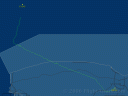 The third leg is the shortest, but because US customs requires a 2 hour notice, I had to call them and then wait an hour before I could take off. That gave me time to plan the route and relax a bit.
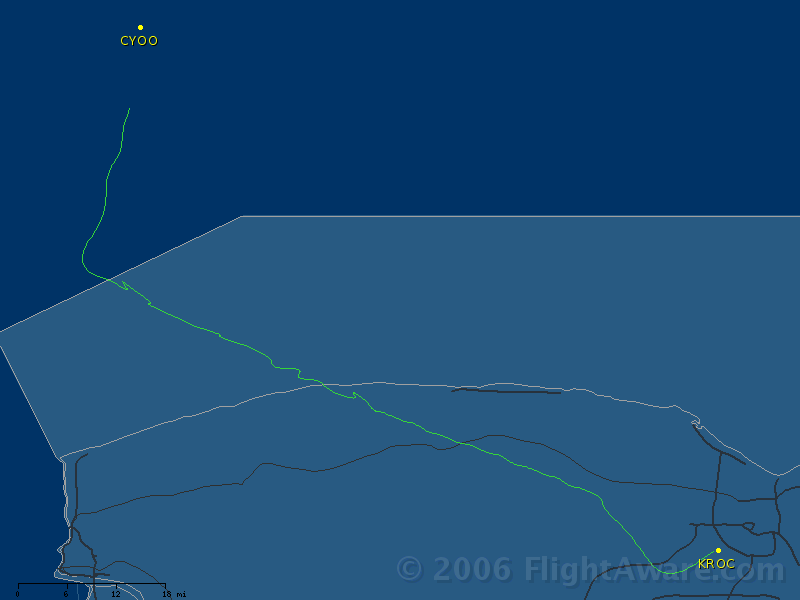
I’ve often said that no flight plan survives contact with Toronto ATC. If I file A21 V252 AIRCO V21, I’ll be cleared on YYZ V31, and if I file that I’ll get something else. But it doesn’t matter, because no matter what I file and what I’m cleared, as soon as they can vector me they’ll send me out over the lake at what I consider a ridiculously low altitude. So for this trip, I figured I’d file a garbage route because they’d give me something different anyway. I also figured that long overwater routes aren’t so bad on a warm sunny day as they are in the winter, so I’d be accomodating. I filed direct BUF direct ROC, which I figured would at least keep me out of the class C airspace. The briefer asked me why I did it that way instead of just direct ROC, and I said that it would keep me from spending the whole trip over the lake.
Of course when I called for my clearance, they didn’t give me what I asked for. I got the OSHAWA1 departure, then A21 V252 AIRCO V31 route that I’ve gotten a few times in the past. Unfortunately, I didn’t have it in my GPS (it was in my old one), but I also knew that I wouldn’t have to fly the whole route, so I decided to wing it. I took off and followed the departure procedure, and was surprised that Toronto ATC didn’t start vectoring me as soon as they could talk to me. So I had to fly A21. Yeah, I tuned the NDB and turned the way it indicated, but then I looked at my GPS and made sure that I was pointed so that my “current course” line intercepted the edge of the Toronto Class C airspace right at the notch where the chart says it should. I got all the way to that notch before Toronto finally said “proceed direct Rochester”.
The weather on the Rochester side of the lake was very clear, but still bumpy at low altitude. The flight was pretty uneventful, but you can see from the track that I got vectored around the approach course for runway 10. I got in about 10 minutes before the arrival time I’d given customs. The customs guy actually phoned me (and according to my voice mail, had phoned while I was en-route as well) to find out why I hadn’t faxed in my CF-178 customs form. How about “because I don’t have a fax machine”? So he came over, and it wasn’t the guy who comes out on the weekends. The guy who comes out on the weekends knows me and hardly asks to see the other paperwork as long as I’ve got my CF-178 filled out. This guy was a stickler, and wanted aircraft registration, pilots license, medical, and passport. He also made me pull out my flight bag and backpack so he could open them up. I don’t mind – they’ve got a job to do and all – but the aircraft registration is a royal pain to get back into that plastic sleeve on the back of the seat. Also, I’d used the time while I was waiting for him to tidy up my flight bag and he had pulled everything out again.
After clearing customs, I taxied back to the tie down and made sure I did a thorough job of putting the plane away. I’ve gotten complaints because after the Pinckneyville trip we’d finished up in a bit of a hurry because the weather was horrible, and so I’d left a couple of scraps of paper in the cockpit and hadn’t locked the front baggage compartment (which I don’t think I’d opened, so I didn’t think to check it). I have resolved to leave the plane better than I found it, no matter how much I want to get home. Of course it was all for naught – the next person to use the plane “complained” that I left a Canadian dollar coin (a looney) under the seat.