inittab, telinit, and Ubuntu

Sorry about this, but I’m going to use a blog post as my personal note pad once again.

Every time my colo box reboots, I need to restart some stuff that automatically restarts on my home box, mostly ssh tunnels. In the old days, I’d use “kill -1 1” or “telinit -q” depending on how traditional I was feeling. That tells init(1) to re-read /etc/inittab and kill any of its daemons that isn’t in the file any more and start anything that’s in the file that isn’t running.

But Ubuntu has replaced the old inittab with files in /etc/event.d. And now, you restart those with a much simpler (but much harder for me to remember when I need to) “sudo start ssh_tunnel”. One of these days I’ll remember that.

It isn’t just USB 1’s fault, it’s this stupid thumb drive

I don’t know what it is about this 2GB thumb drive, but it’s incredibly slow in USB 1 mode, but not too bad in USB 2 mode. I tried copying this 600+Mb ISO to it from my Linux box with it formatted at ext3, ext2 and FAT32, and the fastest time was over 35 minutes. The same file to a 1Gb thumb drive in the same USB slot was only 11 minutes.

On my Powerbook, USB 2.0, that same file copied to the thumb drive in 2:43. Copying it to the 1Gb thumb drive took 2:04. So it’s only on USB 1 that the other one is dog slow.

What’s wrong with UPS these days?

I’m used to UPS being incompetent fuckwads. So I’m a little surprised to find that of the three things I’ve ordered on-line recently, two of them came within 2 days of me placing the order even though they were sent “UPS We’ll Get To It When We Fucking Feel Like It” mode. I can only assume that they have a bunch of left over capacity from Christmas that they are waiting for the most inconvenient time to lay off or something.

Better, better…

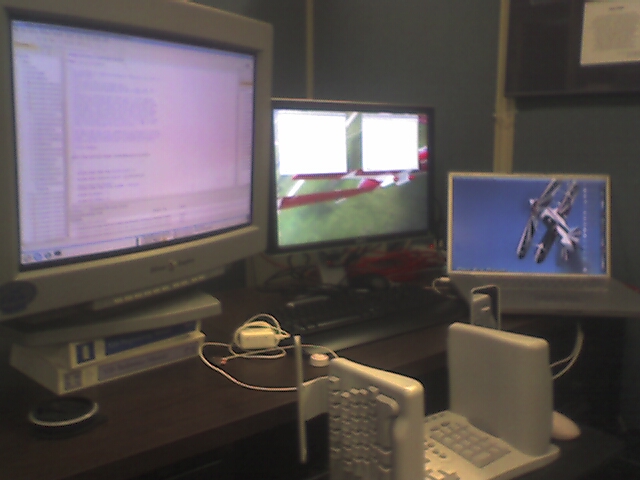
I discovered a new monitor mode for the 24″ CRT that gives me even more screen real-estate. That’s nice.

I also managed to borrow a KVM from the lab downstairs so I can occasionally look in on my Linux box to see if I’ve got any new Lotus Notes “mail”. That’s nice.

Unfortunately the PS2 KVM doesn’t work well with my USB mouse – I have a USB to PS2 adaptor that I was using at one point, with the USB mouse going into the PS2 mouse adaptor, which was then going into my PS2 to USB adaptor. That was mostly a proof of concept (to make sure I could take the output of a PS2 KVM and plug it into my USB-only laptop), and also it made it easier to switch the PS2 keyboard and the USB mouse between my USB-only laptop and my PS2-and-USB Linux box. But plugging a USB mouse into a PS2 adaptor into a PS2 KVM didn’t work so well for the mouse. Every time I switched the KVM I had to reset the mouse by unplugging it and plugging it back in. Not good. So in the meantime I’m using the PS2 mouse that came with the computer instead of the USB mouse I brought from home, and it sucks. No wheel, and it uses a ball rather than optical. Oh, and it’s a Belkin, so it will probably fail in 5 minutes.

Oops

I’ve mentioned before that in order to help defray the costs of putting my stuff on a colo box, I partitioned the box in 3 Xen virtual machines, and rent two of them out. Well, yesterday one of the renters, Terry, asked for a bit of help with his Apache set up. Not knowing his root password, I mounted his hard drive in the “dom0” Xen controller, using “mount /dev/xen-space/xen2-disk /mnt” and started poking around. Well, evidently that managed to confuse ext2 because a few hours later he emailed me to say that his disk had gone “read-only”, and when he tried to reboot it didn’t come up.

Looking at my munin graphs, it appears that when he rebooted, it took down the whole box. I had to email the owner of the rack to power cycle my box, which he can do remotely. When it came back, 2 of the 3 virtual machines came up fine, but Terry’s was asking for a root password to run fsck. I shut down his virtual machine and did a fsck from within the dom0, and it found several things out of whack. But after those were fixed, I was able to restart Terry’s virtual machine.

So lesson learned. I’m not sure if things would have been happier if I’d mounted it read-only, but in the future if I need to mount one of the partitions in /dev/xen-space I’ll shut down the xen virtual machine instance first.